Starbucks Partner Resources: Benefits, Tools & Support
The Starbucks Partner Resources system is designed to give partners (employees) quick access to everything they need whether it’s checking paystubs, updating benefits, getting HR help, or using training tools. Through a combination of online portals, mobile apps, and support centers, Starbucks ensures partners can manage their work and benefits from anywhere.
Whether you’re a new barista, a seasoned shift supervisor, or a former partner needing employment records, knowing how to navigate these resources saves time and reduces stress. In this guide, we’ll cover all the main partner platforms, HR contact points, benefits access, training tools, and tips for making the most out of Starbucks’ support systems.
Key Online Partner Platforms
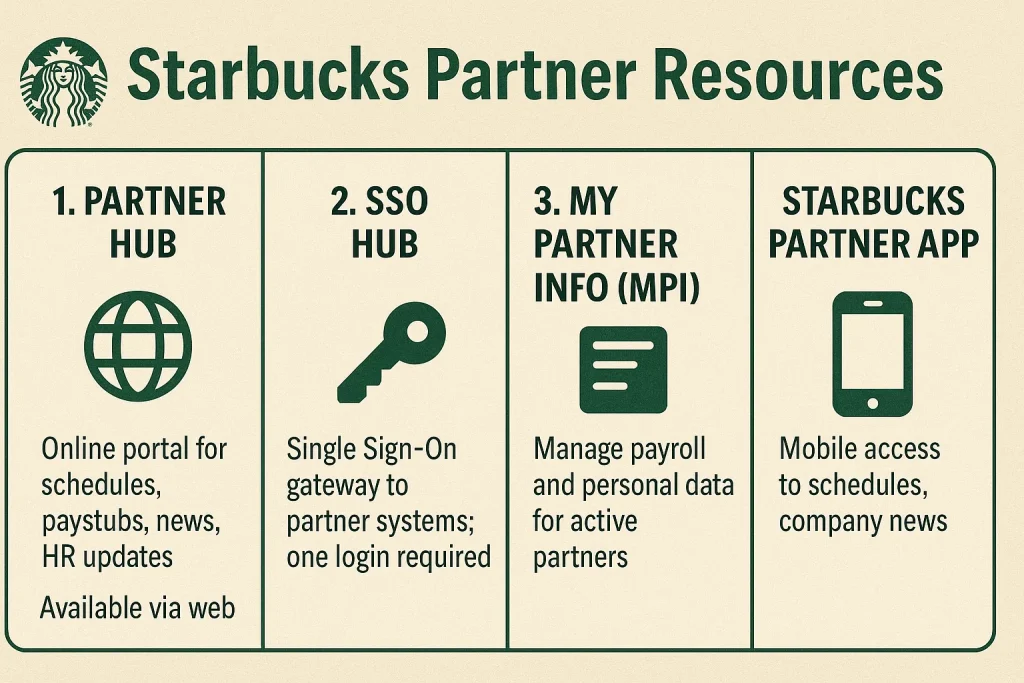
1. Partner Hub
The main online portal for Starbucks partners. Here you can check your schedule, view paystubs, read company news, and access HR updates. It’s available through the web and connects directly to other partner tools
2. SSO Hub
Short for Single Sign-On Hub, this is the gateway login for most Starbucks systems. Sign in once and you’ll get access to Partner Hub, training portals, benefits info, and more no need for multiple logins
3. My Partner Info (MPI)
This is where you manage payroll and personal data. Update your address, change direct deposit details, and view tax forms. Active partners can access it through Partner Hub; former partners may need HR help.
4. Starbucks Partner App
The mobile app version of Partner Hub. It’s perfect for quick access to schedules, paystubs, and company news when you’re on the go. Available for both iOS and Android.
HR & Support Channels
1. Partner Contact Center (PCC)
Call 888-SBUX-411 for help with pay, benefits, schedules, or HR issues. They’re your first stop when something isn’t working online.
2. Store Manager Support
Your manager can help with scheduling conflicts, time-off requests, and certain HR forms. They can also escalate issues to corporate if needed.
3. Online HR Request Forms
Through Partner Hub, you can submit HR requests for things like payroll corrections, benefits changes, or personal information updates without calling.
HR & Support Channels
1. Partner Contact Center (PCC)
Call 888-SBUX-411 for help with pay, benefits, schedules, or HR issues. They’re your first stop when something isn’t working online.
2. Store Manager Support
Your manager can help with scheduling conflicts, time-off requests, and certain HR forms. They can also escalate issues to corporate if needed.
3. Online HR Request Forms
Through Partner Hub, you can submit HR requests for things like payroll corrections, benefits changes, or personal information updates without calling.
Training & Development Tools
1. Starbucks Training Portal
Accessible through Partner Hub, this is where you complete required onboarding and ongoing training courses. Modules cover everything from drink recipes to customer service skills.
2. Coffee & Product Knowledge
Starbucks offers online resources to deepen your coffee expertise, including brewing guides, tasting notes, and seasonal product info. Great for building confidence on the floor.
3. Leadership & Career Growth
Partners aiming for promotion can take leadership training modules and development programs. Many store managers started as baristas and used these resources to move up.
Starbucks Partner Resources FAQs
Conclusion
Starbucks Partner Resources are designed to make your work life easier whether that’s checking your schedule, downloading a paystub, enrolling in benefits, or completing training. By knowing which tools to use and how to access them, you can save time, stay organized, and get the most out of your Starbucks perks.
Bookmark your portals, keep your login info current, and don’t hesitate to use the Partner Contact Center or your manager for support. The more you understand and use these resources, the smoother your Starbucks experience will be both on and off the floor.