Starbucks App Not Working? Here’s How to Fix It Fast
Can’t log into the Starbucks app? Orders not going through? Stars missing? You’re not alone and you’re in the right place. Whether the Starbucks app isn’t loading, keeps crashing, or just won’t let you sign in, this guide covers exactly what to do—step by step.
Real Starbucks users on Reddit, YouTube, and Facebook have reported everything from “Oops, something went wrong” errors to missing rewards and payment failures. We’ve gathered the latest fixes, app store tips, and official support advice so you can troubleshoot fast and get back to using your Starbucks rewards app without delays
Step-by-Step Fixes for When the Starbucks App Isn’t Working
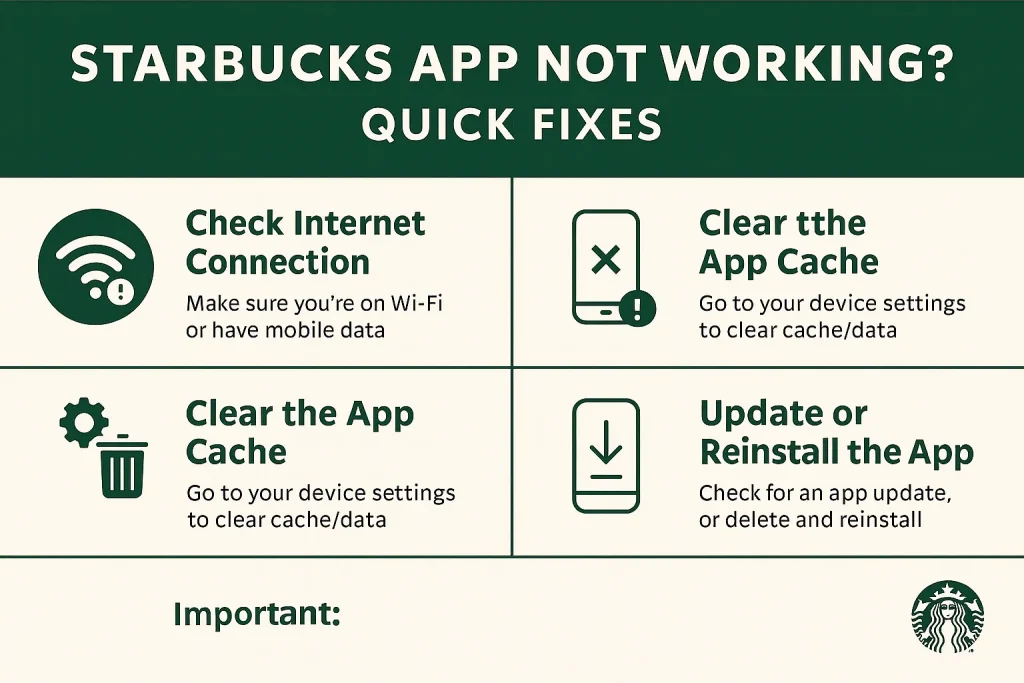
1. Force Close and Restart the App
This solves most loading or freezing issues.
- iPhone: Swipe up and remove the app from recent apps
- Android: Open task manager → swipe to close Starbucks app
- Reopen and try again
2. Update the App
- Outdated versions are a common issue.
- Go to App Store or Google Play
- Search “Starbucks” and tap Update if available
- Reopen the app after updating
3. Check Your Internet
- Wi-Fi drops or poor mobile data can block the app.
- Try switching between Wi-Fi and cellular
- Open another app to test your connection
- Still stuck? Restart your router or phone
4. Clear App Cache or Reinstall
- Android:
- Go to Settings → Apps → Starbucks → Storage → Clear Cache
- iOS:
- Delete and reinstall the app to wipe temporary bugs
- Real user: “My app wouldn’t load orders until I reinstalled it—now it works fine.” — Reddit
5. Disable VPN or Private DNS
A VPN can block Starbucks from syncing your location or login data.
Reopen the app—most login issues resolve instantly
Turn off VPN or Private DNS in your phone settings
6. Watch for 2FA Login Errors
- If you’re stuck at login or the app isn’t accepting your password:
- Try logging in from a desktop browser
- Temporarily disable Two-Factor Authentication (2FA) if enabled
- Many iPhone users on Apple forums said this helped bypass broken login screens
7. Fix Password-Related Issues
Some symbols in your password can break the app login.
- Avoid using % or other non-alphanumeric symbols
- Try resetting your password from the Starbucks website
“I changed my password and removed %, and suddenly the app worked again.” — Reddit user
Use Starbucks.com as a Temporary Backup
If nothing works, don’t wait.
Log in via browser to check your stars, reload your card, or place a mobile order
Visit starbucks.com/account
SBUX App vs. Starbucks Web
When the Starbucks app isn’t working, many partners and customers switch to the Starbucks partner hub —and often, it works faster. Here’s how the two options compare.
Starbucks App
Pros:
- One-tap access to rewards, orders, and payments
- Mobile ordering on the go
- Digital card scan at checkout
- Push notifications for promos and stars
Cons:
- Prone to login bugs, crashes, or frozen orders
- VPN or 2FA can block access
- Needs regular updates to avoid bugs
- Some devices have UI glitches (reported on Reddit & Facebook)
“App still broken. Can’t reload, can’t pay, can’t log in.” — Reddit user, July 2025
Starbucks Web
Pros:
- More stable for login and account access
- Works well when the app won’t load or crashes
- Easier to troubleshoot password or 2FA issues
- Compatible on both desktop and mobile browsers
Cons:
- No barcode to scan in-store
- No push notifications
- Slower for mobile ordering on the go
- Can’t use offline (like app sometimes allows)
“Switched to the browser and finally redeemed my stars. App was a mess all week.” — Facebook group user
FAQs
Conclusion
When the Starbucks app isn’t working, it’s frustrating but fixable. Whether it’s login problems, loading errors, or rewards not syncing, you now have step-by-step solutions that work. From clearing cache and disabling VPNs to switching to the Starbucks web portal, you’ve got options.
Use the app for quick access when it’s stable—but always keep starbucks.com saved in your browser as a backup. That way, your stars, orders, and coffee are never out of reach.