How to Transfer Starbucks Stores: Policy & Step‑by‑Step Guide
If you’re a current Starbucks partner looking to switch locations, there’s a clear process in place to request a store transfer. Whether it’s due to relocation, school, scheduling, or commute issues, transferring stores is common and Starbucks has a formal policy to guide it.
This article explains how to transfer Starbucks stores, what the eligibility requirements are, and how to navigate the approval process. We’ll also cover what to expect during the transition and how to avoid common delays.
Starbucks Store Transfer Eligibility
Minimum Tenure
You usually need to work at your current store for at least 6 months. Some managers may approve a transfer after 3 months, but only in special cases.
Good Standing
You must have a clean record—no recent write-ups, performance issues, or attendance problems. Managers won’t approve a transfer if you’re under corrective action.
Staffing Availability
Transfers depend on staffing levels at both locations. Your current store must be able to lose you, and the new store must have hours to offer.
Type of Transfer
In-district moves are quicker since only store managers approve them. Out-of-district or out-of-state transfers require higher-level approval and take more time.
Timing
Plan ahead. Starbucks recommends requesting a transfer 4–6 weeks in advance, avoiding peak seasons when approvals are less likely due to short staffing.
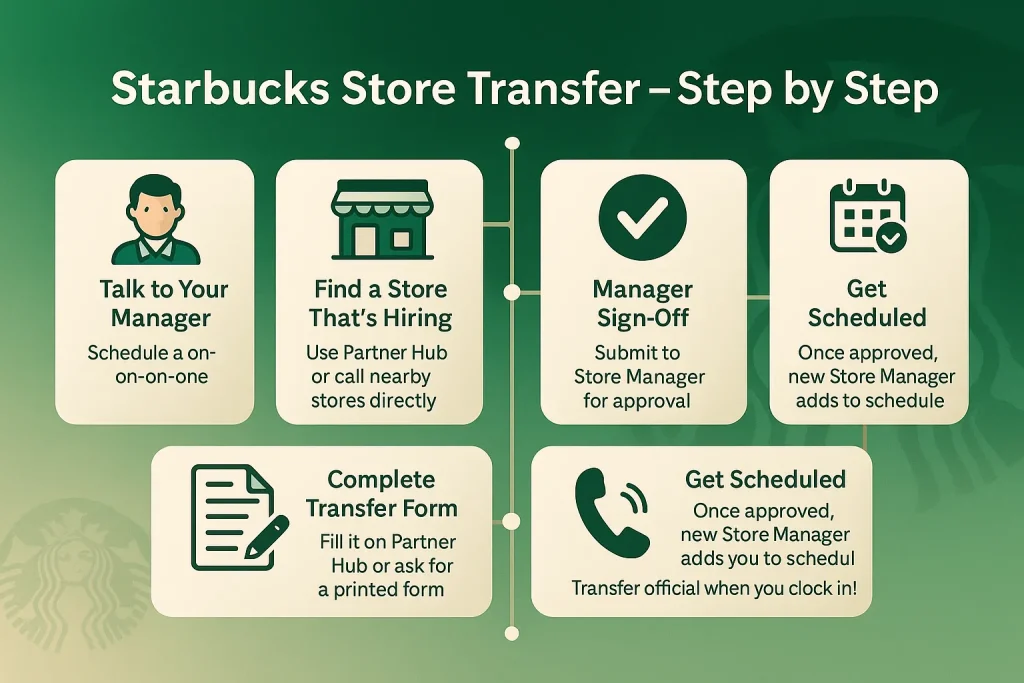
Step-by-Step: How to Transfer Starbucks Stores
1. Start with Your Store Manager
Before anything else, have a one-on-one with your Store Manager. Let them know you’re interested in transferring and why. Most transfers don’t move forward without their support, so this first step matters.
2. Find a Store That’s Hiring
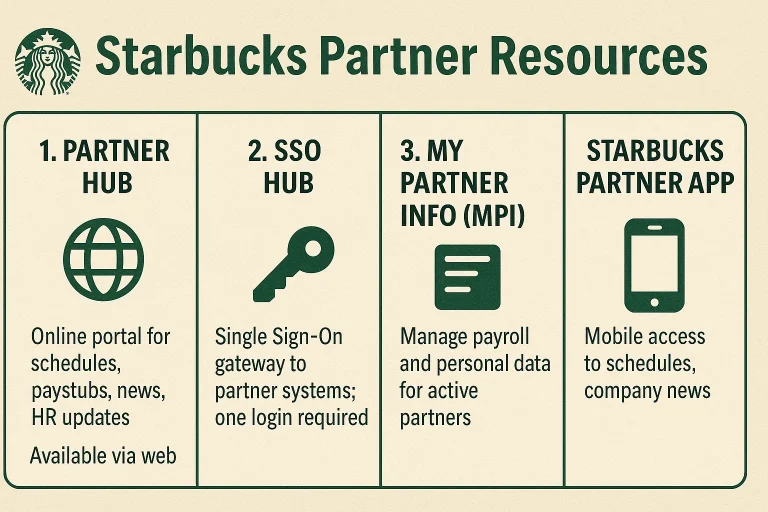
Use internal tools like the Partner Hub to check for open roles. You can also call nearby stores directly and ask to speak with their manager. This helps you confirm if they’re open to taking on transfers.
3. Complete the Transfer Request Form
The form is available through the Partner Hub—search it, fill it out, and include your desired location and transfer reason. Some stores still use printed forms, so ask your manager if you’re unsure.
4. Submit the Form for Manager Sign-Off
Once your part is done, hand it off to your current Store Manager. They’ll review it and send it up to the District Manager. For out-of-district or long-distance moves, another level of approval may be required.
5. Follow Up and Stay in the Loop
Transfers can take time. Stay in contact with your SM and follow up if there’s no response within a week or two. You can also share the form directly with the receiving manager to speed things up.6. Get Scheduled at the New Store
Once everything is approved, your new Store Manager will add you to the schedule. Your transfer is official the moment you clock in at your new location.
When You’re Not Eligible for a Starbucks Transfer
- You’ve worked at your store for less than 3–6 months
- You’re under corrective action or have recent write-ups
- You have ongoing attendance or performance issues
- Your store is too short-staffed to release you
- Your transfer is requested during peak seasons (e.g. holidays)
Common Transfer Challenges (and What to Do)
- No reply from the target store
→ Follow up by calling or emailing the new Store Manager directly. - Transfer form gets lost or ignored
→ Keep a digital/photo copy. Be ready to resend it. - Target store has no available hours
→ Stay flexible with shifts or ask about future openings. - Current manager isn’t supportive
→ Stay respectful. Ask for feedback or involve your DM if needed. - Delays with approvals
- → Check in weekly. The average process takes 2–6 weeks.
Quick Reference Table
| Not Eligible If… | Common Problems | What You Can Do |
| Less than 3–6 months at current store | No response from new store | Call the new SM or DM directly |
| Under corrective action or recent write-up | Form stuck or delayed | Keep a copy, follow up |
| Attendance/performance issues | No open hours at target store | Ask about future availability |
| Store can’t afford to lose staff | Manager isn’t supportive | Communicate openly, involve DM |
| Transfer requested during peak periods | Long approval times | Plan ahead, be patient but persistent |
Latest Starbucks Updates That May Affect Store Transfers
Mobile-Only Stores Are Closing
Starbucks is phasing out all mobile-order-only (Pick Up) locations across the U.S., with full closures or conversions expected by the end of 2026. If you currently work at one of these stores, you may need to transfer to a traditional café location. Some partners, like those in Denver, have already been offered transfer opportunities ahead of upcoming closures.
Store Upgrades May Shift Transfer Timing
As part of its new “Back to Starbucks” strategy, the company is investing in over 1,000 café remodels to bring back in-store seating, ceramic mugs, and a more social environment. This may temporarily impact staffing, scheduling, or availability at stores under renovation—so it’s smart to time your transfer request accordingly.
Corporate Changes Don’t Affect Store Partners
Starbucks is also requiring corporate staff to return to the office four days a week, starting in late 2025. However, this does not apply to store-level partners. If you’re working in-store, your transfer process and schedule remain unchanged by this shift.
FAQs About Transferring Starbucks Stores
Conclusion
Transferring to a new Starbucks store is a structured but doable process. If you’ve hit the 3–6 month mark, kept your performance solid, and communicate clearly with both managers, your chances are good. Expect the process to take 2–6 weeks, and stay proactive throughout. When in doubt, follow up and advocate for yourself—because no one manages your transfer better than you.